How I Use DM AI Assist to Build a Complete Marketing Campaign
This is the workflow I use when I want one marketing idea to turn into a full set of campaign drafts inside DM AI Assist — social posts, an SEO article, ads, an email and a posting plan — without each piece sounding like it came from a different company. I'll walk through it with a single example scenario from start to finish.
The workflow at a glance
- Write a short business and campaign brief
- Save the business details in Brand Kit
- Draft social posts in the Social Media Generator
- Plan a supporting article in the SEO Generator
- Draft search ads in the Google Ads Generator
- Write a campaign email in the Email Marketing Generator
- Put everything on dates in the Content Calendar
- Review and edit everything as a human before publishing
The order matters. Each step reuses decisions made in the step before, so the campaign keeps one message instead of five.
Step 1: Write the brief before opening any tool
Most weak AI marketing output comes from a weak brief. Before I generate anything, I write down four things in plain sentences:
| Brief item | Example scenario |
|---|---|
| Business | Independent bakery, one shop, makes cakes to order |
| Offer | Custom birthday cakes, ordered at least 3 days ahead |
| Audience | Parents planning children's birthdays, and people ordering for a partner or friend |
| Campaign goal | More advance orders, fewer last-minute requests the bakery can't fulfil |
Notice the goal is specific to how the business actually works. "Get more sales" gives every generator the same vague target; "more advance orders" changes the call to action in every piece.
Step 2: Brand Kit — enter the business once
Brand Kit stores the business name, description, target audience, tone of voice and contact details. For the bakery I'd enter a warm, friendly tone and the audience from the brief. If the business has a website, the Brand Kit auto-fill can read it and suggest values for empty fields, which I then check and save myself.
This is the step that makes the rest consistent. Without it, I'd be re-describing the bakery in every generator and inevitably describing it slightly differently each time.
Step 3: Social Media Generator — set the campaign voice
I start with social because it forces the shortest, clearest version of the message. For the bakery I'd choose Instagram, describe the offer and the goal, and ask for a post promoting custom birthday cakes with a "pre-order" call to action.
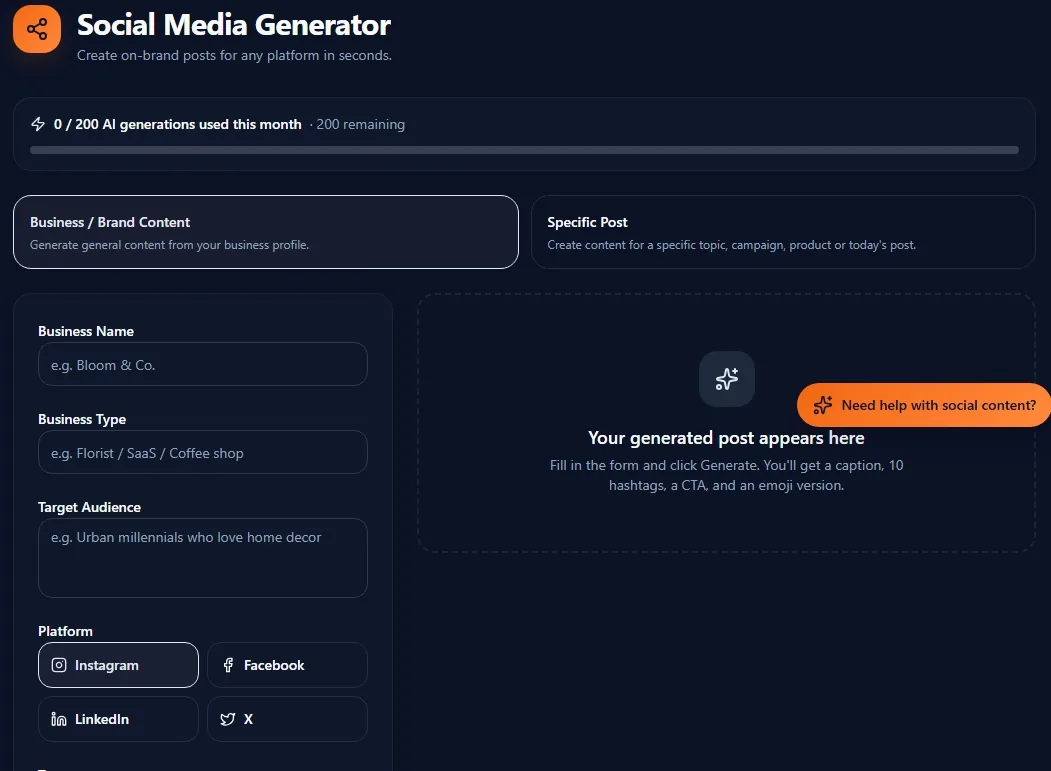
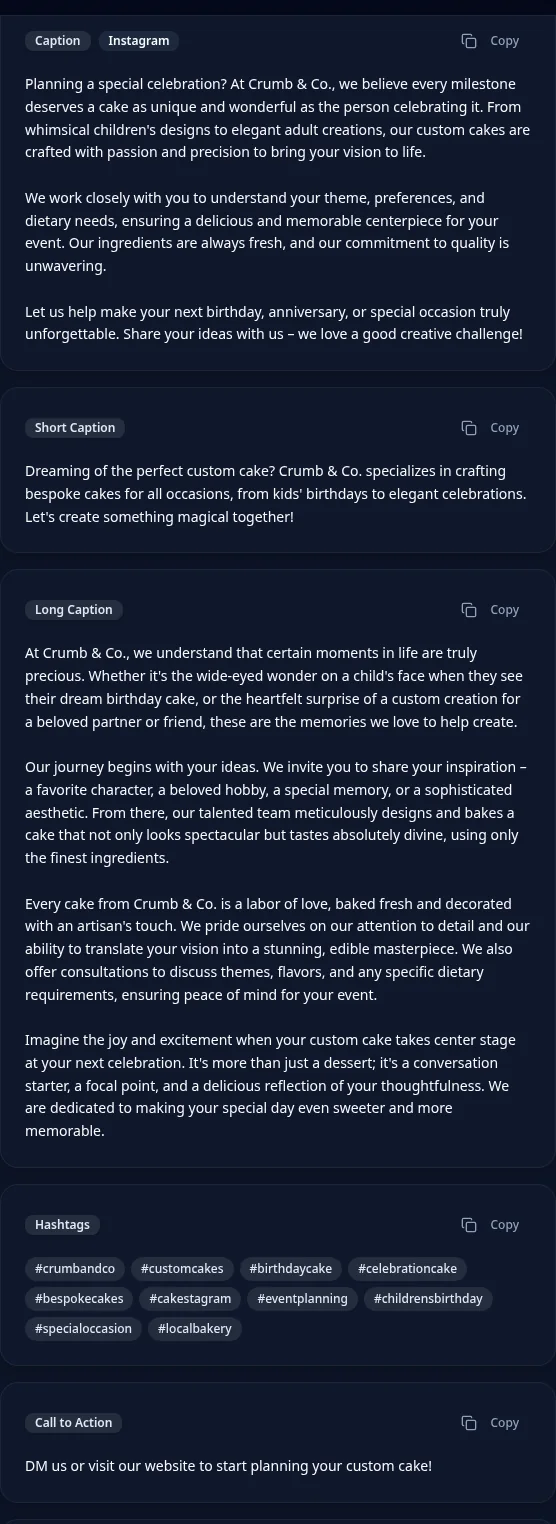
The generator returns caption variations, hashtags, a call to action and a visual concept. I pick the angle I like best — say, "the cake is part of the memory" — and that angle becomes the campaign's core idea for the remaining steps. You can read more on choosing angles in the social media marketing strategy guide.
Step 4: SEO Generator — the article people search for
Social posts reach people who already follow the bakery. An article reaches people searching before they know the bakery exists. A sensible topic for this scenario is something like "how far in advance to order a custom birthday cake" — a real question that leads naturally to the offer.
The SEO Generator returns a title, meta description, outline, keyword suggestions and FAQs. If I want live search context first, I use SEO Research, which I explain in detail in the SEO Generator example. The basics of on-page SEO are in the SEO checklist.
Step 5: Google Ads Generator — catch people ready to order
Search ads suit the moment someone types "custom birthday cake near me". For the scenario I'd give the Google Ads Generator the offer, location and the advance-order message, and review the headlines and descriptions it drafts. The campaign budget is something I decide myself — the generator writes copy, it doesn't set spend. The Google Ads beginner's guide covers keywords, match types and budgets.
Step 6: Email Marketing Generator — remind existing customers
Previous customers are the easiest people to bring back. For the bakery I'd ask the Email Marketing Generator for a short promotional email with the same "part of the memory" angle and a clear note about ordering three days ahead. I check subject lines carefully, because they decide whether the email is opened at all. More on that in the email marketing guide.
Step 7: Content Calendar — put it on dates
Drafts are not a campaign until they have dates. I use the Content Calendar Generator to lay out the posting plan across a few weeks: the article first, social posts spaced through the period, and the email timed before a busy weekend. Then I adjust dates around the bakery's real capacity. The content calendar guide explains how to plan a month.
Step 8: Review and human editing
Everything above is a draft. I read all the pieces side by side and check that the offer, prices, lead time and tone match across channels. This gives the business a consistent starting point that can be reviewed and adapted before publishing — not a finished campaign.
What AI still shouldn't decide for you
- Final brand judgment. Whether a line sounds like your business is a call only you can make.
- Factual accuracy. Prices, lead times, flavours and opening hours must be checked against reality.
- Campaign budget. How much to spend on ads depends on margins and cash flow the tool doesn't know.
- Customer understanding. You know what your customers actually ask for; the AI only knows what you told it.
- Compliance. Advertising rules, allergen claims and platform policies are your responsibility.
- Publishing. Nothing in DM AI Assist publishes for you, and that is deliberate.
What I learned while building this workflow
When each generator was used on its own, the drafts were individually fine but didn't fit together — a playful Instagram caption next to a formal email next to an ad with a different offer. Disconnected tools create inconsistent messaging, even when every single output looks good.
That's why Brand Kit exists: storing business context once and reusing it made the outputs noticeably more consistent than retyping the business description each time. And testing these flows myself reinforced that AI output is a draft. It saves the blank-page step; it doesn't replace reading, checking and editing.
If you're curious about the decisions behind the product itself, I wrote about them in how I built DM AI Assist.
Put this into practice
DM AI Assist turns a short brief into publish-ready marketing content you can edit and reuse.
Abhinay Adla — Creator of DM AI Assist. About the author